
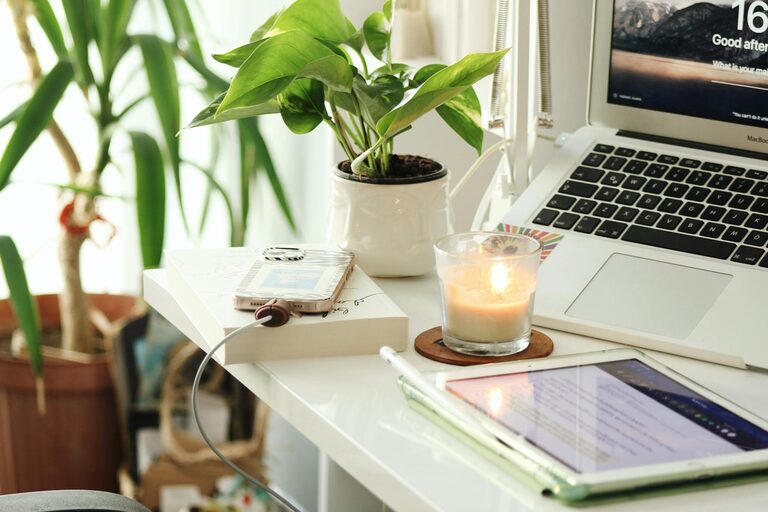
Creating a productive home office space is essential in today’s world, where many people work remotely. Having a dedicated area that fosters focus and comfort can significantly improve your work performance and overall well-being. Whether you have a small nook or a spare room, there are simple yet effective ways to transform your space into an inspiring work environment. Here are some practical tips for setting up a productive home office space.
Choose the Right Location
Finding the right spot for your home office is the first step. Ideally, select a quiet area with minimal distractions. If possible, avoid high-traffic zones such as the living room or kitchen. A room with a door can help signal to others that you are working and reduce interruptions.
Consider natural light as well. A space with windows provides daylight that can boost your mood and energy. If natural light is limited, invest in quality artificial lighting that mimics daylight to reduce eye strain.
Invest in Ergonomic Furniture
Comfort is key when spending long hours working. Choose an ergonomic chair that supports your back and encourages good posture. Adjustable chairs with lumbar support can prevent discomfort and fatigue.
Your desk should be at a comfortable height, allowing your arms to rest at about 90 degrees when typing. If you can, opt for a sit-stand desk to vary your position throughout the day. Proper ergonomics promote better health and help sustain productivity over longer periods.
Organize Your Workspace
Clutter can distract and reduce your ability to focus. Keep your home office organized by using storage solutions such as shelves, filing cabinets, and desk organizers. Designate specific places for important documents, supplies, and devices.
Cable management is another detail that can improve the look and feel of your workspace. Use clips, ties, or channels to keep cords neat and out of sight. A tidy environment helps your mind stay clear and focused.
Set Up Efficient Technology
Reliable technology is the backbone of a productive home office. Ensure you have a fast and stable internet connection, as many remote tasks depend on online access.
Choose a computer and peripherals that suit your work style. A large monitor can decrease eye strain and make multitasking easier. Invest in a quality keyboard and mouse to enhance comfort.
Don’t forget essential accessories like a good webcam and microphone for virtual meetings. Backup your work regularly using cloud storage or external drives to prevent data loss.
Personalize Your Space But Keep It Professional
Your home office should feel inviting but remain a place for work. Add personal touches like plants, artwork, or motivational quotes to make the space enjoyable.
However, keep decorations minimal and organized to avoid distraction. The goal is to create a balance where your office is both functional and inspiring.
Manage Noise Levels
Noise can be a major distraction. Use noise-canceling headphones if you live in a noisy environment. Alternatively, soft background music or white noise machines can help mask disruptive sounds.
If possible, add soft materials like rugs, curtains, or cushions to absorb sound and improve acoustics in your room.
Establish a Routine and Boundaries
A productive home office also depends on your habits. Set specific work hours and stick to them. Communicate your schedule with family or housemates to minimize interruptions.
Take regular breaks to stretch, hydrate, and rest your eyes. Use timers or productivity apps to manage your time efficiently and stay on task.
Keep Your Space Clean and Well-Maintained
Regular cleaning is important for both hygiene and productivity. Dust your workspace, wipe down surfaces, and empty trash bins often.
Keeping your office pleasant and clean will motivate you to spend time there and maintain a professional standard.
Final Thoughts
Creating a productive home office space doesn’t require a large budget or major renovations. With thoughtful planning and simple adjustments, you can build an environment that supports your focus, comfort, and efficiency. Remember that your workspace should work for you, so don’t hesitate to adapt these tips to your personal needs and preferences. A well-designed home office can lead to greater satisfaction and success in your remote work journey.