
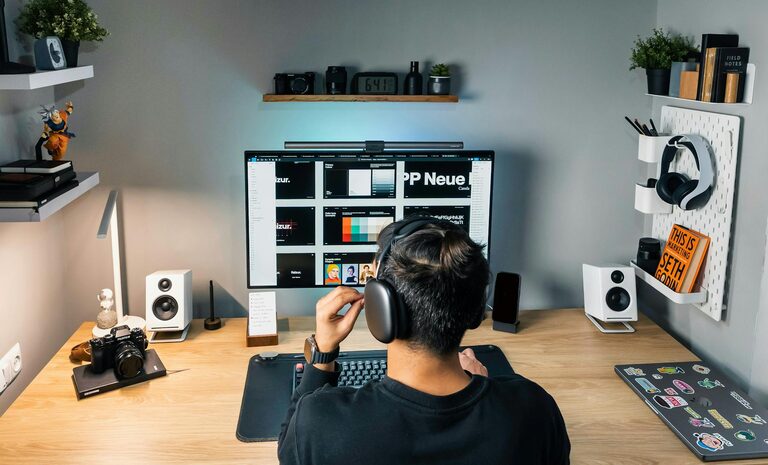
Creating a home workspace that is both cozy and productive can significantly enhance your ability to focus and enjoy your workday. Whether you’re working remotely full-time or just need a dedicated spot for occasional tasks, a well-designed workspace can make a big difference. In this post, we’ll explore practical tips to help you create an inviting environment that supports your work habits and promotes efficiency.
Why a Cozy Workspace Matters
A workspace that feels comfortable and welcoming can reduce stress and increase motivation. When you like the area where you work, you’re more likely to stay engaged and avoid distractions. Combining coziness with productivity means your space is both functional and enjoyable.
Choosing the Right Location
Consider Natural Light
Locate your workspace near a window if possible. Natural light can boost your mood and energy levels, reducing eye strain. Position your desk so that light comes from the side rather than directly in front or behind your screen to avoid glare.
Minimize Noise and Interruptions
Choose a quiet corner or room where you won’t be easily disturbed. If that’s not possible, consider soundproofing options like thick curtains, carpets, or noise-canceling headphones to improve concentration.
Ergonomic Furniture for Comfort and Health
Invest in a Good Chair
A supportive chair with adjustable height and lumbar support is essential for avoiding back pain and maintaining good posture. Look for chairs designed with ergonomics in mind.
Ergonomic Desk Setup
Your desk should be the right height so your elbows are at a 90-degree angle when typing. Use a monitor stand or adjustable arm to keep your screen at eye level to reduce neck strain.
Smart Lighting Choices
Use Layered Lighting
Combine ambient lighting (like overhead lights) with task lighting such as a desk lamp. This balance helps avoid eye fatigue and creates a cozy atmosphere.
Choose Warm Light Bulbs
Warm white or soft yellow bulbs tend to create a relaxing feel. Avoid harsh, bright white lighting that can feel cold and tiring.
Organize and Declutter
Keep Essentials Within Reach
Keep your most-used items like pens, notebooks, or your phone nearby but neatly arranged. Use desk organizers or small trays to keep the surface tidy.
Store Away Clutter
Use shelves, drawers, or filing cabinets to store papers and supplies you don’t need all the time. A clean workspace helps clear your mind and minimizes distractions.
Personalize Your Space
Add Comfortable Textiles
Incorporate cushions, throw blankets, or a small rug to add softness and warmth to the room. These elements make the space more inviting.
Include Plants
Indoor plants improve air quality and add a touch of nature, which can boost creativity and reduce stress.
Display Inspiring Items
Photos, artwork, or motivational quotes can personalize your area and keep you inspired throughout the day.
Maintain a Good Work-Life Balance
Define Your Workspace Boundaries
Try to keep your workspace separate from relaxation areas if possible. This separation helps your brain switch between work and rest modes more easily.
Establish a Routine
Start your workday at the same time and include short breaks. Stretch or move around regularly to stay alert and avoid fatigue.
Technology and Connectivity
Reliable Internet Connection
Ensure your workspace has a strong, stable internet connection to avoid interruptions during video calls or online tasks.
Use Tools to Reduce Distractions
Apps that block distracting websites or set focus timers can help you maintain concentration.
Final Thoughts
Designing a cozy and productive home workspace doesn’t have to be overwhelming. By paying attention to comfort, organization, lighting, and personalization, you can create an environment that supports your work habits and makes your day more enjoyable. Remember, your workspace should suit your needs and preferences—feel free to adjust these tips to match your lifestyle.
Creating this balance not only helps you work more efficiently but also contributes to your overall well-being. Happy decorating and productive working!